Feature spotlight
Unlimited warehouses
Scale from one location to many without changing your operating model. WHMSPro lets you create and govern as many warehouses as your business needs while preserving consistent data and workflows.
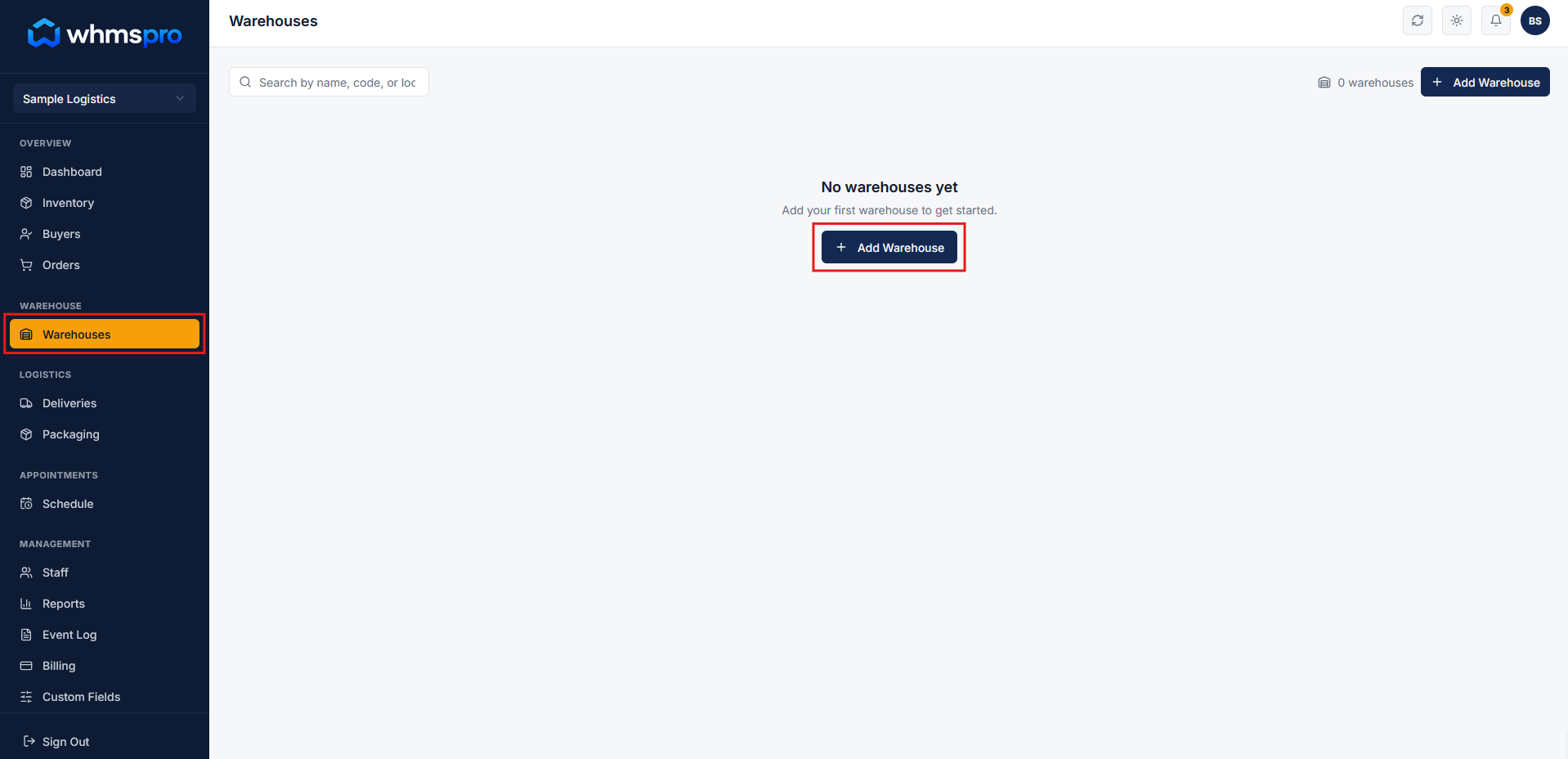
Step 1: Go to Warehouse section
Navigate to the Warehouse section and click on the Add Warehouse button to begin creating a new warehouse.
Step 2: Add warehouse details
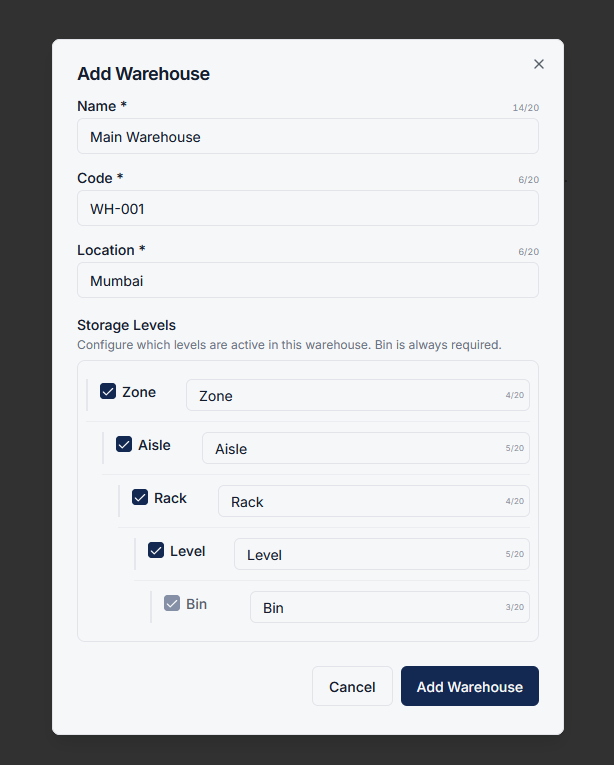
A popup will appear where you can enter warehouse details such as name, code, and location.
You can also configure storage levels based on your warehouse structure.
- Rename storage levels as needed
- Disable any unnecessary levels
- Customize setup based on operational needs
Once done, click on the Add Warehouse button to save.
Step 3: Manage your warehouses
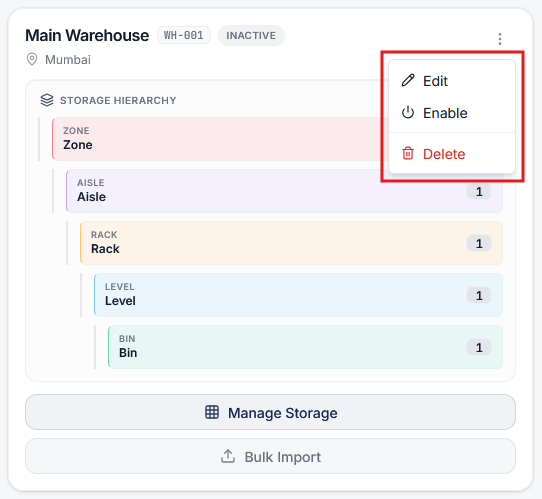
After creating a warehouse, you can easily:
- Edit warehouse details
- Delete warehouses if no longer needed
This gives you full control over how your warehouse network is managed.
Step 4: Add and operate multiple warehouses
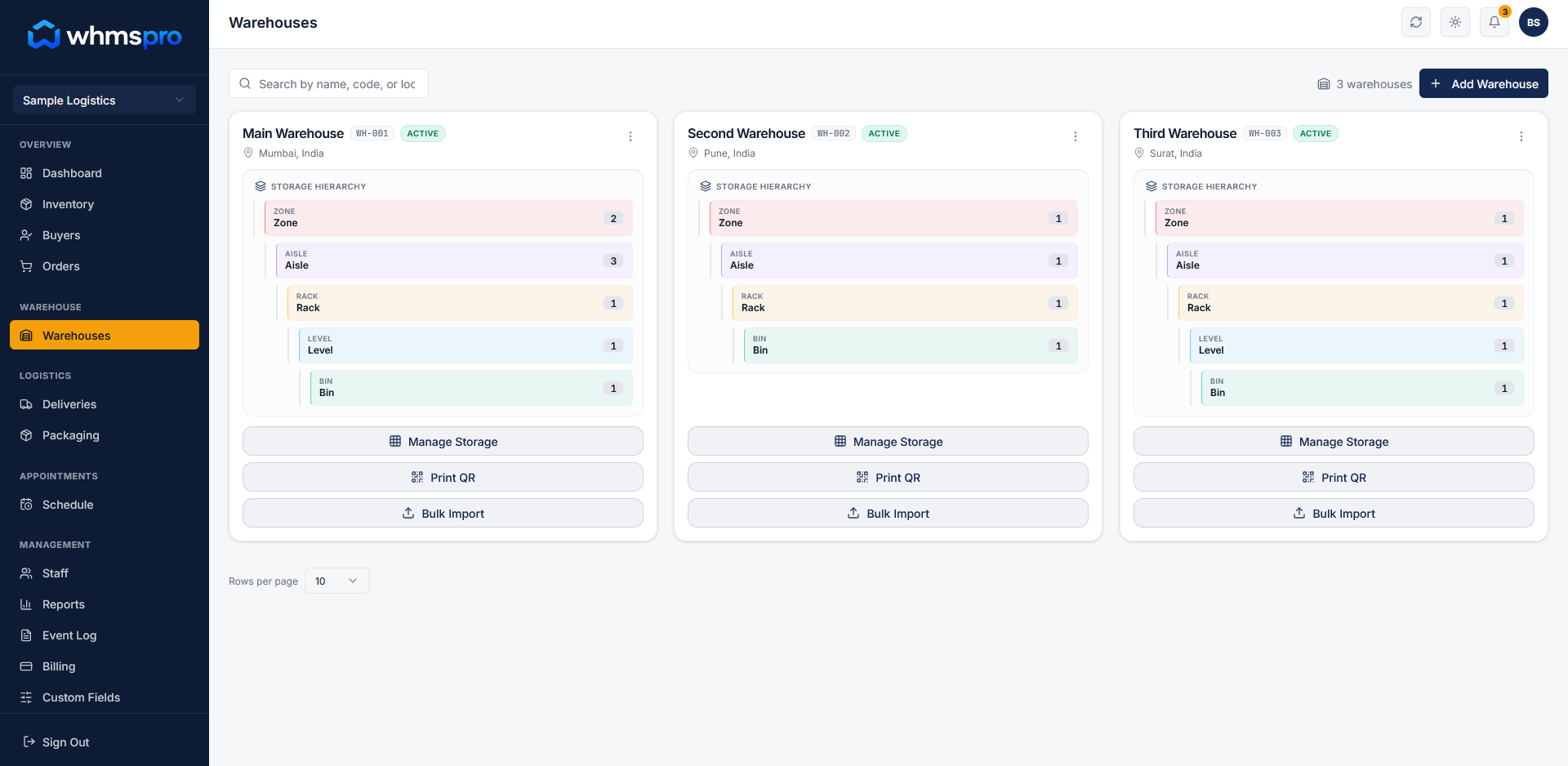
You can create and manage multiple warehouses within the same system.
Each warehouse can have its own configuration while still being part of a unified workflow.
Step 5: Scale your operations seamlessly
As your business grows, simply add new warehouses without changing your existing setup.
Maintain consistent processes, visibility, and control across all locations.