All features
Feature spotlight
Order lifecycle management
Manage each order from intake to fulfillment inside one coordinated warehouse workflow with better operational visibility.
How it works
Step 1: Navigate to the Invoices Page
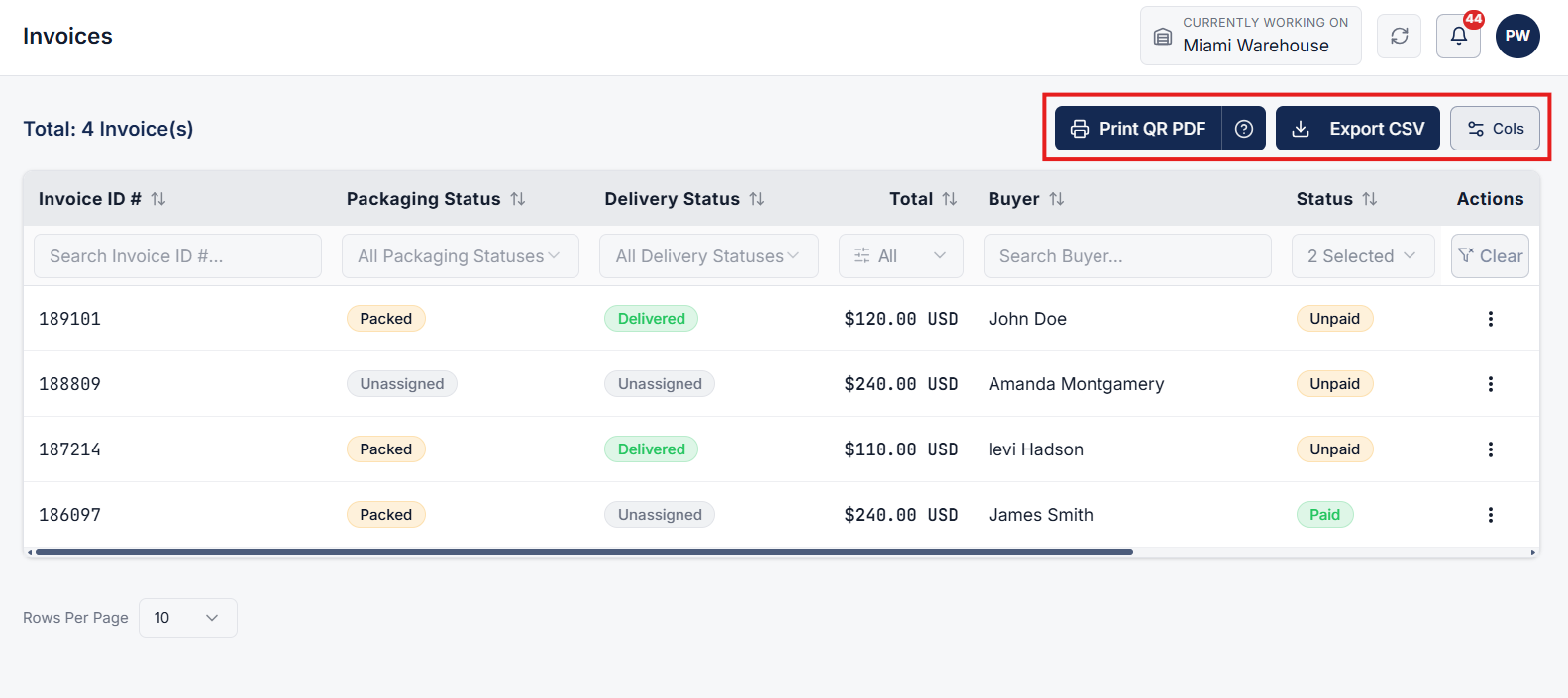
When an invoice is created, it automatically appears in the system. Go to the Sales section from the main navigation menu and select Invoices.
Here, you will find a complete list of all generated invoices across your operations.
Step 2: Manage & Export Invoices List
On the Invoices page, review your active invoice list. You can perform quick bulk or individual actions:
- Print: Print invoice documents directly from the list view.
- Export CSV: Export invoice records into a CSV spreadsheet for reporting and accounting purposes.
- Cols: Customize table visibility by selecting which columns to display or hide in the invoice list view.
Step 3: Open Invoice Details Page
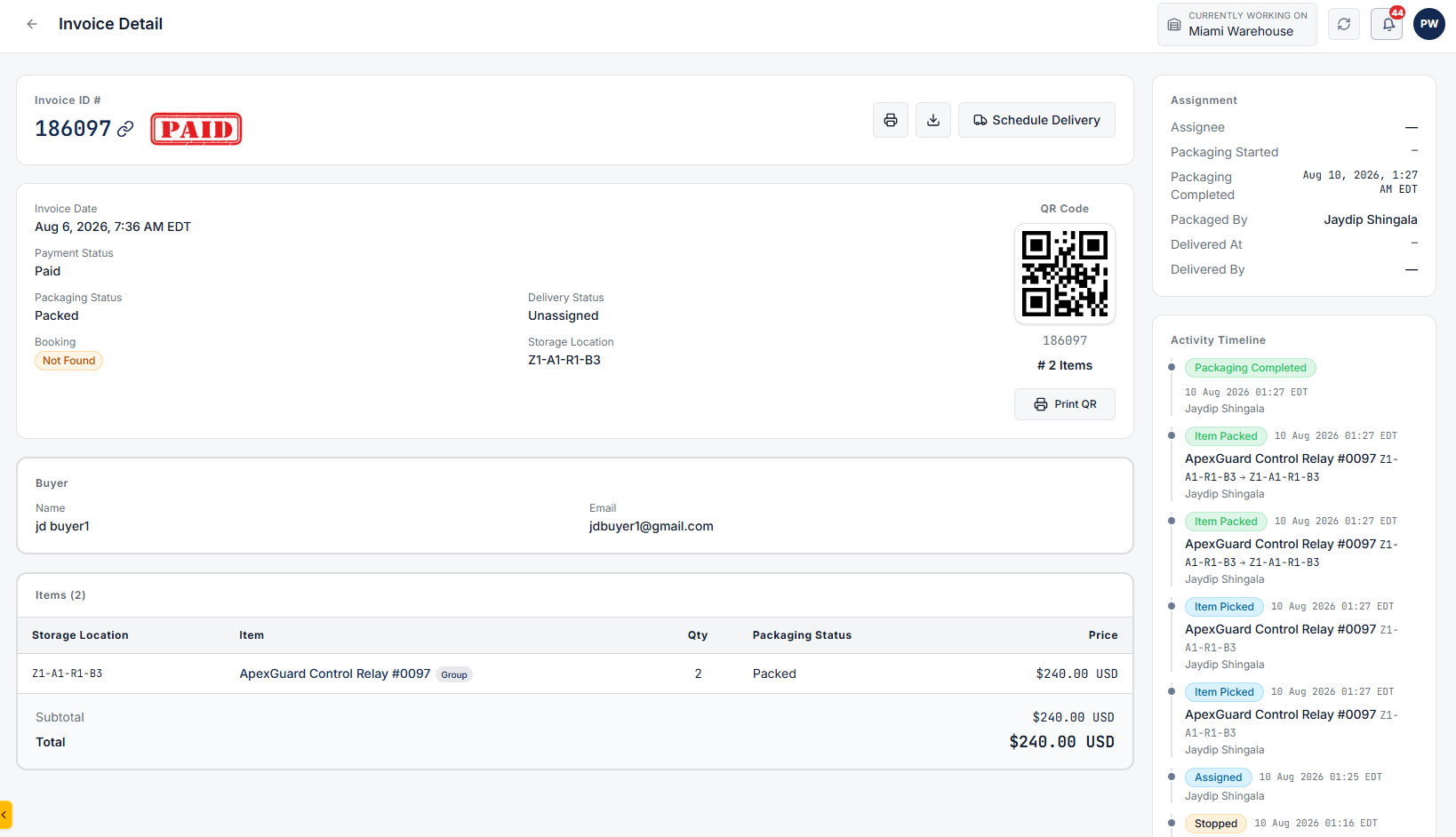
Click on any invoice row from the list to navigate to its dedicated Invoice Details page.
This page presents an all-in-one view of the order's operational lifecycle and status.
Step 4: Download, Print & Review Order Statuses
From the Invoice Details page, you can:
- Download & Print: Download a PDF copy or print the invoice directly.
- Track Lifecycle Statuses: Monitor real-time progress for Payment Status, Packing Status, and Delivery Status.
- Review Buyer & Address Details: Check complete Buyer Details and the designated Delivery Address.
Step 5: Check Assignments & Activity Timeline
- Assignments: View staff, team, or operational assignments linked to this invoice.
- Activity Timeline: Track the complete audit trail and log of all actions, status updates, and modifications performed for this invoice from creation to fulfillment.