Feature spotlight
Inventory movement tracking
Track every inventory move across bins and warehouses so you keep a reliable operational history for audits and daily control.
Step 1: Navigate to Inventory Details Page
From the main navigation menu, go to Inventory and select the specific inventory item you wish to inspect.
This opens the detailed view for that inventory item, displaying its status, location, attributes, and stock details.
Step 2: Access the Activity Timeline
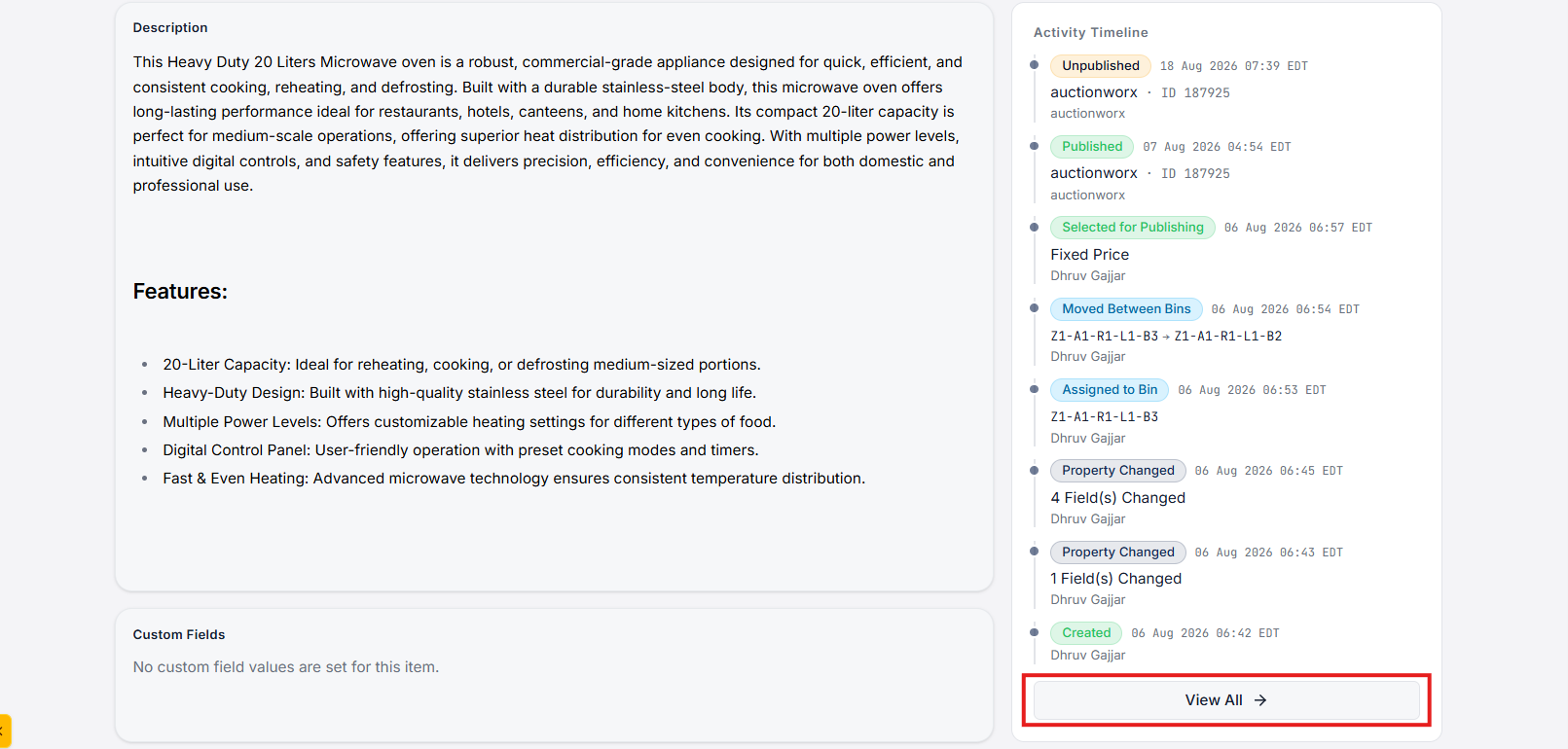
Scroll down to the Activity Timeline section at the bottom of the inventory details page.
This section displays recent updates and log events related to the inventory item.
To view the complete audit log, click on the View All button. This will redirect you to the dedicated Inventory Activity Timeline page.
Step 3: View Comprehensive Activity Timeline
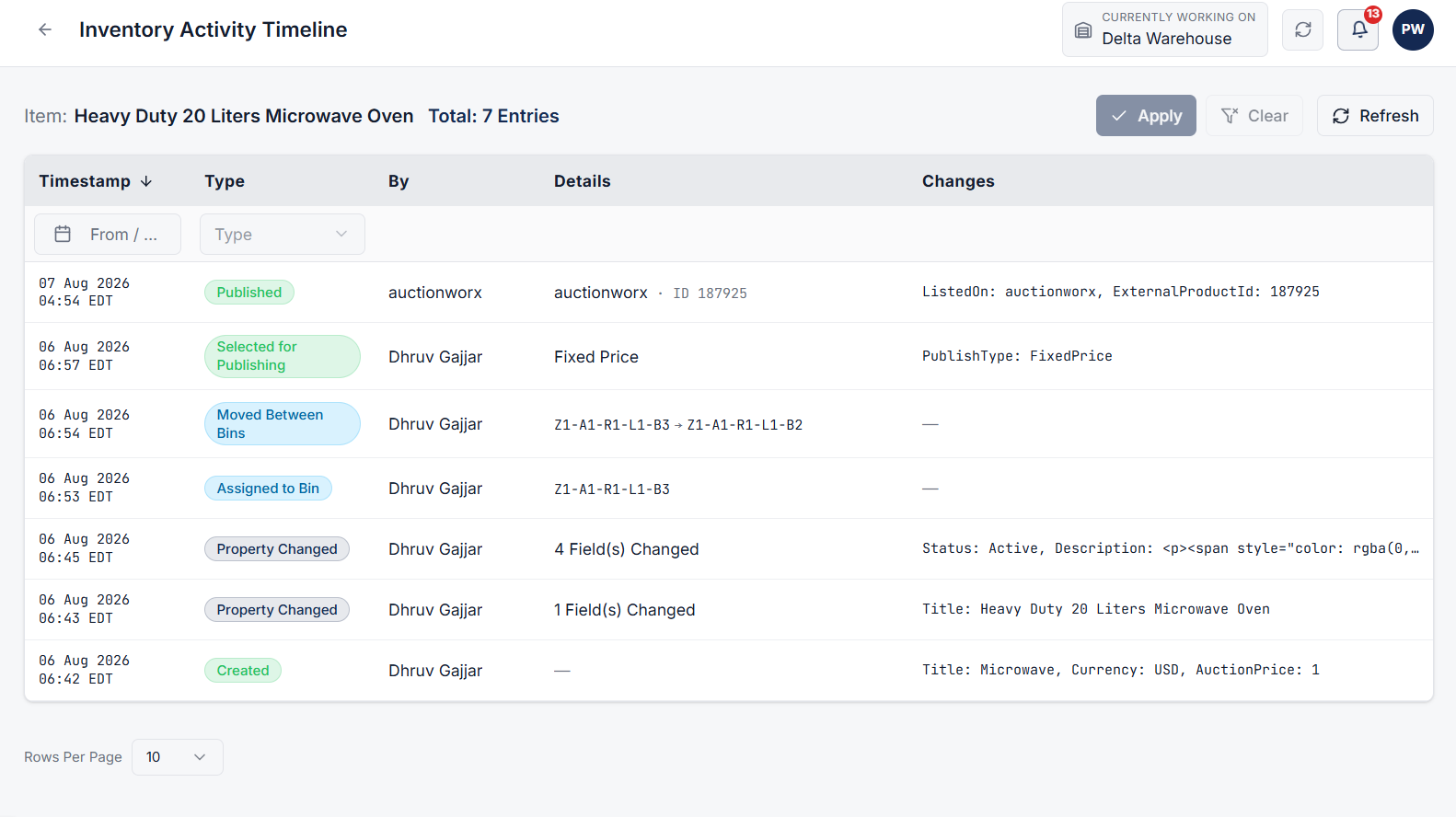
On the Inventory Activity Timeline page, you can monitor the full operational history of the selected item.
Every event recorded in the system includes:
- Timestamp: Exact date and time when the activity occurred.
- User: Name or profile of the user who executed the action.
- Details: Specific event notes and operational context.
- Changes: Complete breakdown of modified values and field updates.
Step 4: Track Supported Inventory Activity Types
The activity timeline logs a wide variety of warehouse operations and state transitions, including:
- Created: Initial item creation in the system.
- ConsignmentPickup: Inventory collected via consignment pickup workflows.
- Updated: General updates to inventory properties or configuration.
- Deleted: Record of item removal.
- Published: Item published for catalog or sales channel visibility.
- Unpublished: Item hidden or removed from public view.
- SelectedForPublishing: Item staged or selected for publication.
- RemovedFromPublishing: Item unselected from publishing stages.
- InvoiceCreated: Creation of an associated billing invoice.
- InvoiceRemoved: Removal or cancellation of an invoice.
- InvoiceItemRemoved: Removal of this item from an invoice.
- Assigned: Allocation or assignment of inventory to specific workflows/teams.
- Moved: Physical or logical movement of inventory across bins or storage locations.
- Packed: Completion of packaging for shipment or transfer.
- ImageAdded: Upload of new item images.
- ImageRemoved: Deletion of item images.
- ImageUpdated: Modifications to existing item images.