Feature spotlight
Staff tracking & team performance
Full operational visibility into active staff presence, live workflow task allocation, individual worker throughput, handling time benchmarks, and shift performance comparison across your entire facility.
Step 1: Open Employee Productivity Dashboard
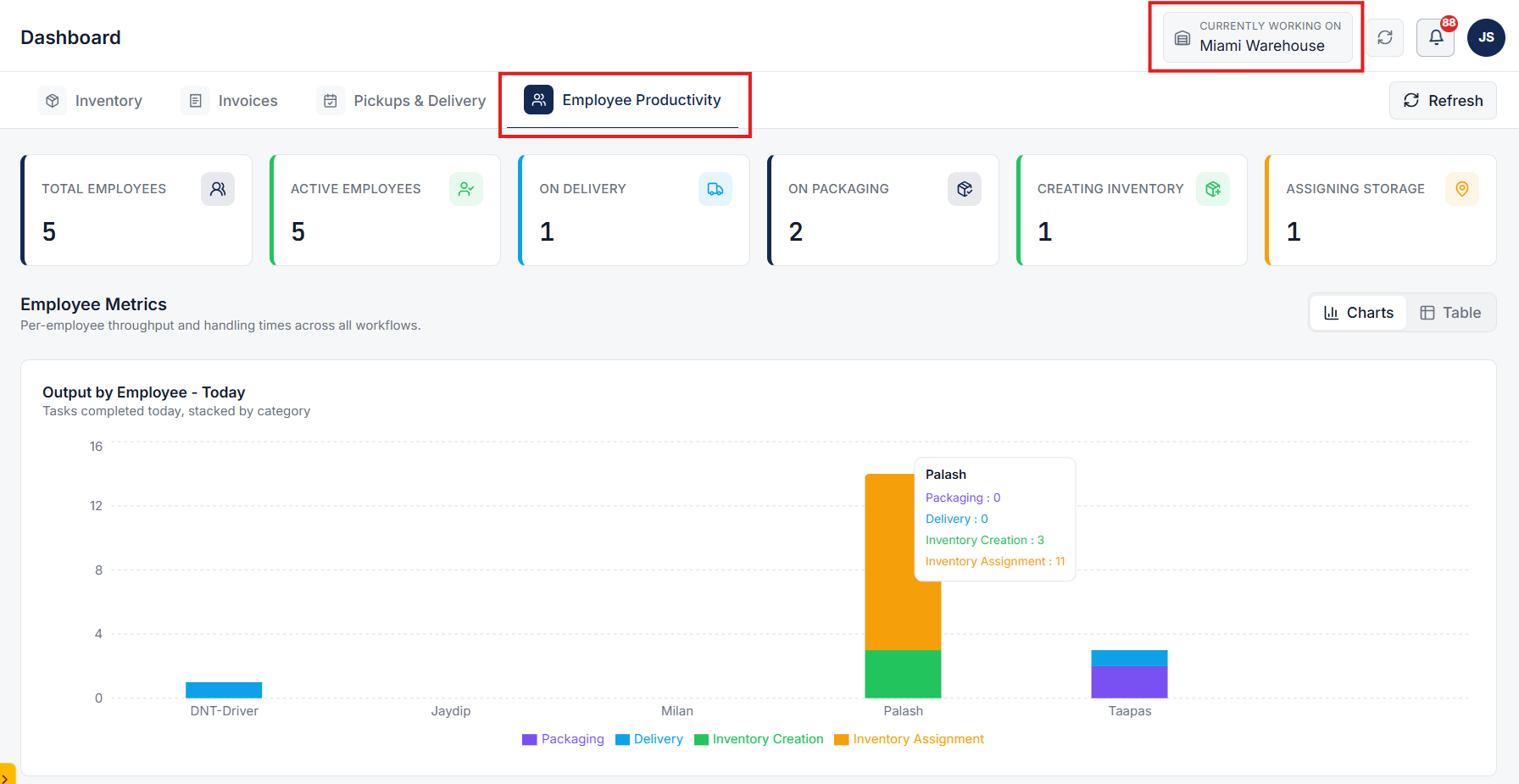
Go to Dashboard under Home and click the Employee Productivity tab. Select your warehouse facility from the top header dropdown menu to isolate performance metrics and staff tracking to that location.
- Warehouse Scoping: Filter staff activity and throughput metrics by individual warehouse facility.
- Live Operations Dashboard: Access unified worker tracking across packaging, delivery, inventory intake, and storage placement.
- Role-Based Visibility: Provide supervisors and management teams with real-time floor activity oversight.
- Facility Benchmarks: Monitor overall shift velocity and operator availability at a glance.
Step 2: Track Live Worker Presence & Workflow Allocation
Monitor real-time staff counts, active shift statuses, and workforce distribution across all core warehouse operational stages.
- Total & Active Workforce: Monitor all registered team members and currently logged-in operators on shift.
- Workflow Allocation Breakdown: Track real-time operator counts across On Packaging, On Delivery, Creating Inventory, and Assigning Storage.
- Live Worker Status: Distinguish between active operators and idle staff members instantaneously.
- Shift Coverage: Ensure optimal staffing allocation across high-priority fulfillment bottlenecks.
Step 3: Analyze Per-Employee Output & Throughput Charts
Use the Output by Employee - Today section (toggleable between Charts and Table views) to inspect individual completed task counts across operational categories.
- Packaging Output: Track packed orders and verified shipping labels per operator.
- Delivery Dispatch: Review completed driver drop-offs and route executions per deliverer.
- Inventory Intake: Measure cataloged products and intake-scanned units per employee.
- Storage Assignment: Track put-away completion rates and storage bin location tags per worker.
Step 4: Benchmark Handling Speed & Compare Shift Velocity
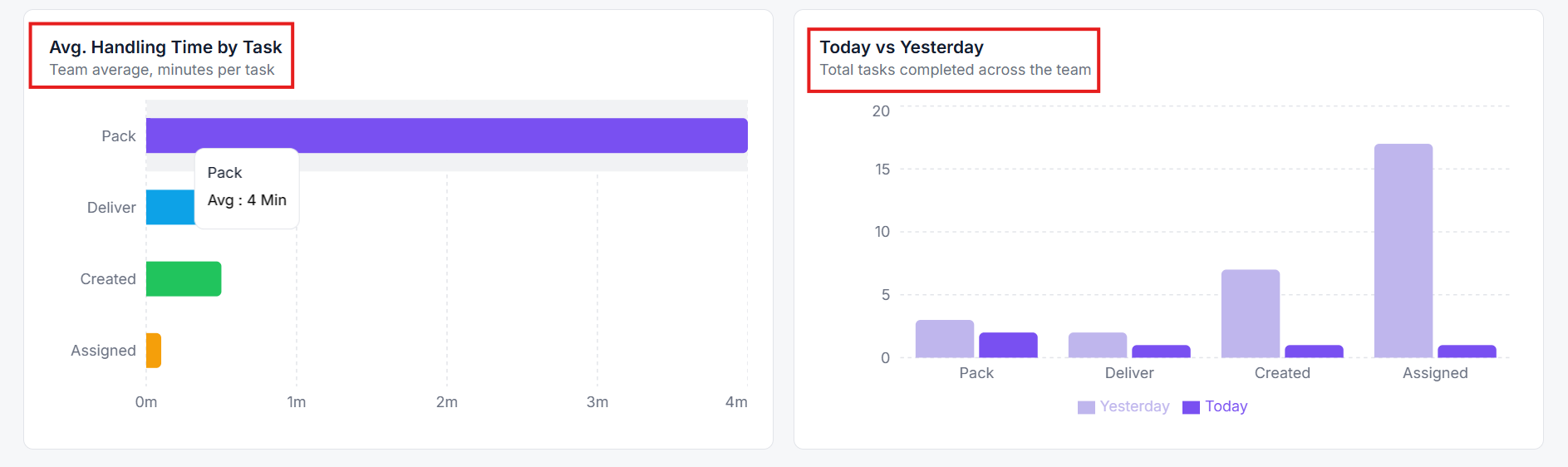
Evaluate team efficiency using the Avg. Handling Time by Task chart (in minutes per task) and compare daily shift throughput trends (Today vs. Yesterday).
- Task Speed Benchmarking: Analyze average duration for Pack, Deliver, Intake Creation, and Bin Storage Assignment.
- Shift-over-Shift Comparison: Compare daily velocity gains or bottlenecks across team shifts.
- Operator Performance Log: Inspect worker start timestamps and individual handling averages to optimize floor labor allocation.
- Bottleneck Resolution: Identify slow stages or labor gaps to reassign workers in real time.